Monday, May 12, 2008

AnalogX cacheBoost

Was having an issue using USB 2 drives on USB 1 ports and trying to do all kinds of video with them. Cant be done you say? Well I found out that if I killed everything but the programs needed it did not overtake the drive, sometimes. Noticed the cache kept not keeping up. Looked and rememeber our old developers at analog.com , downloaded cacheboost, under systems and followed instructions. My burns come out smooth as glass. Thanks.


We like to test older harder since 1-2 GHZ machines are very common with DVD burners, and have seen this issue reported by hundreds, all begging for a software fix. This group is amazing. Love tons of their applications and ideas- bofh

Website : Analogx.com
Package: cacheBoost
OS: Windows XP-PRO (tested)
rating: 5 stars
rated by: wanman-bofh

Wednesday, April 9, 2008

VLC to the rescue ?


After testing package after package , the easiest by far is VLC. Simple , easy to install, runs on just about everything, and best of all its free. Need to distribute video, audio or both and need a win, win application ?

http://www.videolan.org/vlc/

Monday, July 30, 2007

Review - Google Web Accelerator


Web accelerators are great , if and when they work. I have seen some of the best and this one seems to lack texture to their latex of solutions. Since I built my own, I wanted to see if it would preform any better across a couple of different types of Internet connections.

Sad to say the program had allot of overhead and ate a good percentage of CPU power which stalled the browser, so any 'acceleration'(saved 2 seconds) was completely ruined by the 5 second freeze. Turned ap off, and T1 speeds resumed. Seemed this test was too much for our older tester box, which meant 35 % of our clients could not even run the ap.

Site Link =- http://webaccelerator.google.com/
Main Company Link =- http:/www.google.com

Always happy to test any new Google device or project. Sad the Google Web Accelerator is not meant for anything under a gig of CPU speed which limits another large portion of the Internet especially the dialup portion of the globe.

Test Platforms:

Linux - Not Available
Mac - Not Available
Windows XP or 2K+

Will Update on industry standard 2.4 GHZ PC on T1 versus dialup , both with and without GWA running. See future reviews.

Friday, July 27, 2007

Trixbox 1.2.3 to 2.0 Upgrade Review

For such a a solid package so far the results have not been kind the the upgrade. Error after error, including development core needed, Zaptel manually compiled and more. So far I do NOT recommend the upgrade remotely. I see many issues , especially since the upgrade contained 368 programs and their dependencies, more than I expected.

I personally recommend always backing up your data and config files, and them do the update on a test bed. 2.0.2 upgraded without any issues, while 1.2.3 has nothing but. Seems one had a much more limited core base, so you have to install all kinds of rmps' or upgrades.

Can it be done without issues? So far the 4 or 5 links on google say no. All report all kinds of issues. After reading the upgrade details, I see where most would reboot and then issues would mound, since no modules come preloaded. Once you add your modules you can restore your previous services and routes, with few changes. Again backup your stuff.

value - medium to high - based on risk and changes
learning curve - extreem
alternative solution: download ISO and upgrade onsite

Have a CD packed with every package you need downloaded all at one time, at your finger tips, makes the install much smoother. Can you mangle your PBX ? Definetly. I run both servers and see 1.2.3 machines still functioning perfect for a local private phoner system deployable over the Internet, with software , time, more time, and patience.

Is it worth it ? 1000 percent. I love the new interface and more packages and options. I was able to hook the system into our prerecorded shows and demo our gabcast station.

Review - OpenFire

Server application with IM to SIP capability, is what the web site claims. Let's see if this beast can run on CentOS box preloaded with Asterisk. Our goal here is to work on allowing instant messaging over IP to any SIP account anywhere in the world. Instant messaging is growing and our group want to see it incorporated into an Asterisk based solution.

CentOS - Link
Asterisk - Link
OpenFire - Link

Our recent review of TrixBox stands.
Softphones - works well
Sipura 1000 - works well

Always remember to upgrade your server to its most current version without
adding a bunch of beta software. Beta means beta. Stable means runs without
crashing every few seconds or rebooting, or core dumping every day or two.

More coming soon !

Thursday, July 19, 2007

Software Review - TrixBox. 2.0.2


Well after Trixbox was recently purchased we new the system would be semi overhauled, and that it did. Some features worked good. Install CD is sweet, and simple, just the way it always should be.

Trixbox 2.0.2
OS - CentOS
686 / 64 bit AMD
UFW SCSI
512 megs ram
1.8 GHZ CPU

Install up went very smooth. Upgrade on the other hand needs WORK, in my opinion. The GUI admin interface is great except when upgrading modules. It hangs and freezes for what seemed like hours, and finally gave details, that YUM was able to do faster and all at once. Each application from what I see , operated its functions yes, but the admin GUI freezing on updates, made it hard to evaluate what was happening at that point. Simply killed the install or upgrade proccesses, and box was back to normal. Did loose my interface for a little as well, so the version still have a ways to go, in my opinion.

Tuesday, July 3, 2007

CentOS - Webmin - Usermin - Spam Assassin Combo


Finished Product - CentOS running Webmin/Usermin and Spam Assassin creating a simple spam solution with a simple graphical interface. Cost : 0$/Free - 4+ HOURS - based on connection speed for downloads, software updates and speed. Can handle easy 4 GIG plus of mail a day with 2.4 GHZ CPU with 512 megs of ram, loaded onto a 60 gig ide drive.

Download CentOS
Boot & Install
Once installation completed:
login as root
yum install -y webmin
Login to webmin
Click on usermin
Follow instruction to add.
When completed :
click servers
click SpamAssassin Mail Filter
If not installed, follow instructions.
Once installed, your up and running.
Log into usermin
Your SpamAssassin Mail Filter is embedded into each server email account.

Simple solution. Recommend installing firewall and firewall rules
to reduce attacks to your system. Seen allot of attacks on the net
and recommend protection for every server on the Internet.

Friday, May 25, 2007

Cellaix - Review - 5 Stars

Writing this from Mozzila on bootable CellIAX ISO, I am researching. Skype to Voip to cell type stuff. I imaging it can be used a million different configs but the one they show the most is the following :


Cool ! Now that's give your a developers thumbs up! Awaiting my cables, and new GSM Total Access Trinity phone to test this beast to it's limits. So far, it runs smooth, and functions. Tons of tools, and based on Knoppix distro, which i've known for years to be solid, and used globally.

Hardware Adapters
www.celliax.org
Celliax Forum

Wednesday, May 23, 2007

Smarter Surfing - Total Accelerator Flies!


This internal project came from thousand of skilled developers over a decade to create. Thanks to our DNS resolution improvements provided by OpenDNS. The project code named CacheHit Proxy, which accelerates, filters and improves security on the net. Since we developed this package over a 6+ year period of time, we developed the system to be web proxy based, and be plug and play, and not have any software needed to install.

We tested the system on dialup, wireless, mesh and on several different operating systems (another reason to build the accelerator proxy) like, Windows(r) Wink2k, ME, XP, 98SE , Ubuntu, Redhat, Suse, and on and on. There where even a couple proxy programs for ubuntu that we tried that forwarded the traffic automatically, and gave you a simple on and off button. Cool ideas! So far seeing speed increases double to 10 times and up to 30 times faster in response times.

More details, pricing, and instructions

Main Web Site

Join the network and get 60 days free acceletaion on any service.

Shop Online 24/7/365

Sunday, May 20, 2007

Aria 1.0.0 review 5 Stars- Download Manager on Steroids..


One simple word can be said after playing with other Unix download managers. WOW. It was a pleasure to have so many features and very ease of use. I am beta testing new packages each week on my new Ubuntu box, as I do my weekly work as a net admin. I need a download manager that delivers to goods the way I need them and this beast rocks. 5 Stars!

GWGet for Linux


GWget is a download manager for unix. I needed a download manager for my Ubuntu desktop, and wanted to try out unix GUI download managers.

Why ? Well Ubuntu runs on a GUI interface that allows me to have several desktops worth of work screen upon screen. I needed to also restrict how much bandwidth the manager pulled. Like most developers, we tend to download an ISO image of a project which is 600+ megabits of storage used at a time. This where for me, a download manger comes in. They remember all thje details of the link and automatically restart the download if ever disrupted.

GWGet : Unix Download Manager
Easy to install on Ubuntu with software manager.

Stable: 5 stars
Design: 4 stars

The program was very accurate and stable, which to us is everything. The GUI was simple and easy to use, and installed into Ubuntu in maybe 2 minutes. It uses the WGET principles and does a very good job . Design was extremely boring.

Overall 4.5 Stars out of 5

Credits:
David Sedeño Fernández david@alderia.com
Julien Cegarra julienc@psychologie-fr.org

Web Site: http://www.gnome.org/projects/gwget/index.html

Thursday, May 17, 2007

SpamAware - Free Outlook Spam Filter

SpamAware is an Outlook add-in that uses the SpamAssassin engine to score email as it arrives in your inbox, and marks potential spam with a tag in the subject line, or automatically moves it to a JunkMail folder. SpamAware also supports Blacklist/Whitelist entries and can automatically add people that you communicate with to the Whitelist. Works well, but scanning of emails is very slow.

Publisher JAM Software
File Size 5500 kb
Version 4.6 (history)
Last updated May 16, 2007
License Freeware
Windows NT/2000/XP
Requirements None
Other products All 5 products from this developer
Download Link -

Ratings: Unknown , but did get popular reviews from users.

Friday, April 27, 2007

IPCOP - Linux Firewall with easy to use Internface


IPCop is a Linux based firewall distribution, which aims to provide a simple-to-manage firewall appliance based on PC hardware. IPCop is a Stateful firewall built on the Linux netfilter framework.


Originally a fork of the SmoothWall Linux firewall, the projects are developed independently, and have now diverged significantly.

IPCop is licensed under the GPL, and is developed, in traditional Open Source style, by a diverse development group spread across the Internet at large. CD-ROM images for the installation CD are distributed via a network of mirrors. Support websites are maintained in English, French, German and Dutch. IPCop's user interface is available in 17 languages.

IPCop includes a simple, user managed update mechanism to install security updates when required.

Although not an official part of IPCop, there are many addons, some based on the addon server and some not, that add lots of additional functionality to IPCop such as advanced QoS, e-mail virus checking, traffic summary, extended interfaces for controlling the proxy, and many more.

Development of IPcop continues. A significant new release, version 1.4.0, now based on the LFS distribution, was released in October 2004, offering an updated user interface and a number of additional language options. Version 1.5 is currently in active development.

(reposted from (wiki)

Will be loading onto demo PC 1 GHZ with 512 megs RAM as test. Will review results.

Website: http://ipcop.org/
Rating - Unrated- Under Review at this time!
Link
How to

Saturday, March 31, 2007

AcidRip - DVD Ripper For Linux


AcidRip is a Gtk2::Perl application for ripping and encoding DVD's. It neatly wraps MPlayer and MEncoder, which I think is pretty handy, seeing as MPlayer is by far the best bit of video playing kit around for Linux. As well as creating a simple Graphical Interface for those scared of getting down and dirty with MEncoders command line interface, It also automates the process in a number of ways:

* Parses DVD into contents tree
* Finds longest title
* Calculate video bitrate for given filesize
* Finds black bands and crops them
* Gives suggestions for improved performance
* Other stuff!

Site: http://untrepid.com/acidrip/
Worked on Ubuntu. Free, and works well.

WireShark - Ethereal - Free Network Sniffer


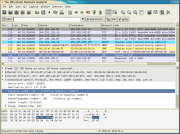
Same developers, same code, different name. The Ethereal network protocol analyzer has changed its name to Wireshark. Wireshark's powerful features make it the tool of choice for network troubleshooting, protocol development, and education worldwide. Wireshark was written by an international group of networking experts, and is an example of the power of open source. It runs on Windows, Linux, UNIX, and other platforms. 5 out of 5 stars.

Etherape - Visual Ethernet Scanner


EtherApe

At the present time, EtherApe has enough functionality to be useful, but it's far from complete. It's still beta software, and new features and bug fixes are being added all the time. Here is the list of features, current as of version 0.9.5, in no particular order:

* Network traffic is displayed graphically. The more "talkative" a node is, the bigger its representation.
* Node and link color shows the most used protocol.
* User may select what level of the protocol stack to concentrate on.
* You may either look at traffic within your network, end to end IP, or even port to port TCP.
* Data can be captured "off the wire" from a live network connection, or read from a tcpdump capture file.
* Live data can be read from ethernet, FDDI, PPP and SLIP interfaces.
* The following frame and packet types are currently supported: ETH_II, 802.2, 803.3, IP, IPv6, ARP, X25L3, REVARP, ATALK, AARP, IPX, VINES, TRAIN, LOOP, VLAN, ICMP, IGMP, GGP, IPIP, TCP, EGP, PUP, UDP, IDP, TP, IPV6, ROUTING, RSVP, GRE, ESP, AH, ICMPV6, EON, VINES, EIGRP, OSPF, ENCAP, PIM, IPCOMP, VRRP; and most TCP and UDP services, like TELNET, FTP, HTTP, POP3, NNTP, NETBIOS, IRC, DOMAIN, SNMP, etc.
* Data display can be refined using a network filter.
* Display averaging and node persistence times are fully configurable.
* Name resolution is done using standard libc functions, thus supporting DNS, hosts file, etc.
* Clicking on a node/link opens a detail dialog showing protocol breakdown and other traffic statistics.
* Protocol summary dialog shows global traffic statistics by protocol.
* Scrollkeeper-compatible manual.

Great for visual review of traffic on your LAN or WALN network. 5 out of 5 Stars in overall preformance. 4 out of 5 since the project is still in beta. Look for more reviews on this fantastic Ethernet scanner!

Software Phones Versus IP Phones

First lets get the facts straight. Both are needed and can be used on all types of platforms. for those interested in voice over IP visit our VOIPiT forum where we discuss Voice over IP software and hardware reviews.

Software based phones:

Pros: Free or low cost
IP USB phone compatible ( phone set) $29

Con: Have to own computer and be able to install software and manage applications.
Slight learning curve for those new to the net.

Hardware based phones

Not all vendors are the same. tested several items, and they just did not make the cut. They lacked in either echo cancellation or feedback controls. A decent phone for the dollar is our Roby Ip phones found online here.


I love my Sipura 1000, and 2000, and looking for low end unit that meets quality controls and service.

Hubs versus Smart Switches

In building a few networks over the year most people are confused as towards why they want a managed switched or managed hub over just a plain old hub. In my testing I used a couple of units and the results were almost identical with totally different gear. Hub versus Smart Switch

The first beast was a 16 port smarts switch by Addtron. Pretty decent but an unmanaged smart switch gives you no control over the network traffic. 10 base T I think.

Second beast was 3Com Superstack 2 . PS Hub 40 - which is a 10 megabit managed hub.

After doing allot of testing at the ten mega bit level ( for wireless network purposes) we found the results were better for the SuperStack versus the smart switch. Why would you care about a hudb you ask ? Most routers have limited ports (4-5) and hubs are cheap ways of extending those ports. Hubs sell for 10-20 dollars are most used places and are very easy to find at thrift places for just a few dollars.

In hooking a hub to a switch you will either need a cross over cable or a cross over port on the unit that switches. The 3com did not have one but the Addton did. At full load I was getting only 50 percent of my bandwidth through either device switched or hubbed, meaning it only goes so far at 10 megabit. The overhead is higher.

You can use 10 megabit gear but make sure your intersections in your network are not being choked. use a managed hub or switch and set limits on your ports, and add filters if needed to stop unwanted traffic from flooding your network.

For the money Hubs are cheapest, for the quality of service a nice Cisco 2924XL with enterprise OS , will be the best quality for the money in todays market. The Addtron and 3com were both ebay buys for under $29.

XMMS Media Player for Linux


XMMS was loaded on my Ubuntu Media PC. I also tested 3 other media players and found XMMS was the best of its class.

Since I got my new Ubuntu CD and switched, I had to find a media player that would not such the live out of my beast while I burn DVD's, I love to listen to my media. The nice thing is its small, light CPU and plain works. I give it 5 out of 5 in freeware and five out of five overall. Needed more visual effects to compete with main stream paid media software. Overall this boy is loaded, works with any media or MP3 stream and runs without glitches. In my personal opinion I see more need for media software developers like this in more areas. Media players are know to be CPU hogs and XMMS runs on a low end media box without any glitches.


Went in and added it viia add/remove feature. Searched for media player. Found it in sound and video , clicked OK, and system jumped on my network and installed it and it's dependency files. Install from clean box took only about 15 minutes from start. Difficulty is 1. One must know how to read and type. or at least read and point and click.

Site: http://www.xmms.org
Next version: http://www.xmms.org/next_version.php
Reviews: http://freshmeat.net/projects/xmms/

Sunday, March 11, 2007

AVG Free Edition

As many of you already know, Virus, worms , and Trojans are here to stay on the Internet. Depending if the network has activated port filtering to reduce attacks, or is just monitored, a PC with XP or 2K loaded with network access and no protection can be infected in just a matter of minutes. 10-12 to be exact.

We tested over 10 packages both free and pay, and fell in love with Free AVG.

Simple, easy to use and free.
five stars

Web Site

Get AVG Anti-Virus Free
AVG Anti-Virus Free Edition is a free anti-virus protection tool developed by GRISOFT for home use. We invite you to join the millions of satisfied customers worldwide who have downloaded the software and now enjoy the benefits of AVG Anti-Virus Free.

New in AVG 7.5
Improved virus detection based on better heuristics and NTFS data streams scanning
Smaller installation and update files
Improved user interface
Windows Vista ready
and more

What you get with AVG Anti-Virus Free
Easy to use
Regular and automatic virus database updates
Realtime protection of files and e-mails

Scheduled and manual testing

Windows and Linux
And most of all ... great customer satisfaction!